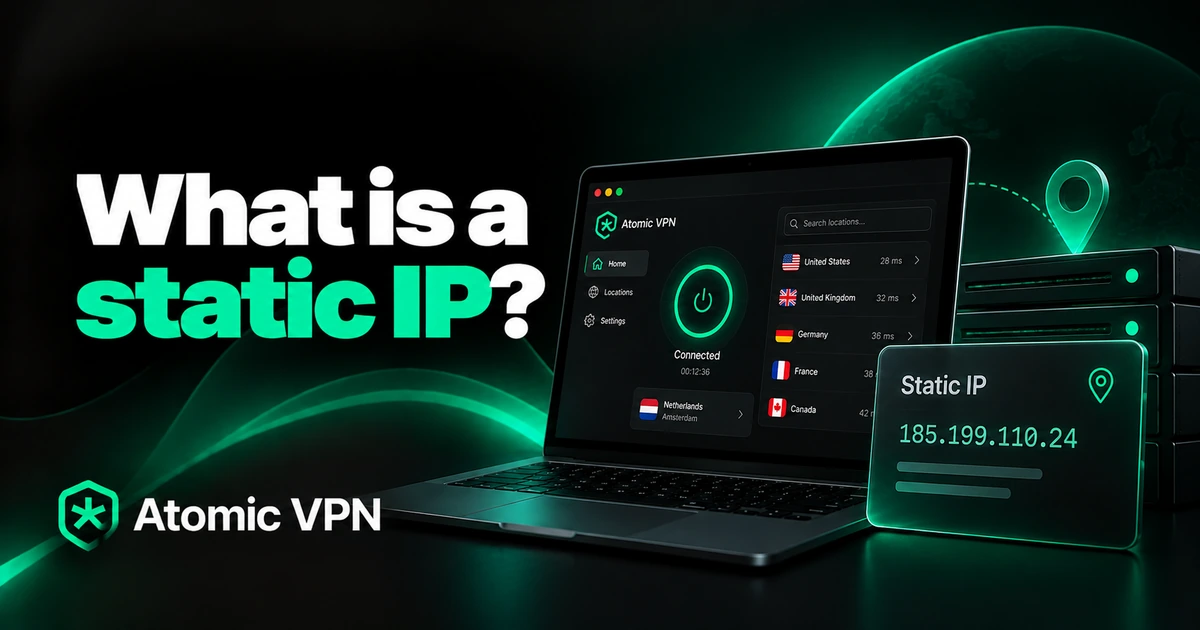
A static IP address is an IP address that stays the same every time you connect. A dynamic IP is assigned automatically and can change from time to time. Most home internet plans use dynamic IPs. For browsing, streaming and gaming that works fine. You need a static IP mainly when other people or devices must reach your network at a fixed address, for example to run a server or a security camera system. Here's static IP vs dynamic IP at a glance:
| Static IP | Dynamic IP | |
|---|---|---|
| Does it change? | No, it stays fixed | Yes, from time to time |
| How you get it | Set manually or requested from your provider | Assigned automatically by DHCP |
| Cost for a public IP | Usually extra or business plans only | Included in every home plan |
| Remote access to your home | Easy, the address never moves | Needs dynamic DNS or a cloud service |
| Hosting a server or website | Good fit | Poor fit |
| Privacy | Easier to link activity to you over time | Changes now and then |
| Best for | Servers, cameras, remote work allowlists | Browsing, streaming, gaming, most homes |
Applies to the public IP your provider assigns. Private IPs inside your home can be static for free.
How a static IP address works
Every device online needs an IP address, a number that tells other computers where to send data. Your internet provider gives your home one public IP address. Your router then hands out private addresses to the devices inside your home.
Normally, both steps use DHCP (Dynamic Host Configuration Protocol). It leases an address for a set time and can give you a different one later. That's a dynamic IP. With a fixed assignment, the address is set on purpose and doesn't come from that rotating pool.
Also, both IPv4 addresses (like 203.0.113.25) and the longer IPv6 addresses can be static. IPv4 addresses are scarce, which is a big reason providers charge for fixed ones.
Static vs dynamic IP and how they differ
The main difference is stability versus convenience. A fixed address never moves. So anything that needs to find you keeps working. A dynamic IP needs no setup and costs nothing extra.
The fixed option has clear advantages:
- Remote access works without lookups. You can reach a home server, NAS or camera system at the same address every time.
- Hosting is simpler. A website, game server or email server needs an address that DNS records can point to.
- Allowlists stay valid. Some work systems only accept logins from approved IP addresses.
It also has downsides:
- It usually costs extra. Many home plans don't offer it at all.
- It's easier to track. Sites and ad networks see the same address for months or years.
- It's a fixed target. Attackers who find an open service on your address can keep trying.
A dynamic IP flips those points. It's free and changes now and then, which makes long-term tracking a little harder. But it's a poor fit for hosting anything. In practice, a dynamic home IP can stay the same for weeks or even months, because the router keeps renewing the same lease.
Public vs private static IP
Most guides skip this part. Yet it causes most of the confusion. There are two kinds of fixed address. They're set up in completely different places.
First, a private static IP is the address of one device inside your home network, such as 192.168.1.50 for a printer. You set it yourself on the router or the device. It's free. It only matters inside your network.
Second, a public static IP is the address the rest of the internet sees for your whole home. Only your internet provider can give you one. Changing a setting in Windows or on your Mac never changes it.
So when a guide tells you to change the IP in Windows, it means the private one. That's useful for a printer or a game console. But it won't let anyone reach you from outside.
How to tell if your IP is static or dynamic
Unless you asked your provider for a fixed address and pay for it, your public IP is almost certainly dynamic. A quick test confirms it:
If the address stayed the same, it may still be dynamic with a long lease. Your provider's account page or support line can confirm. The CGNAT case from step 4 (carrier-grade NAT) means you share one public IPv4 address with other customers. Then nobody outside can reach your devices directly, static or not.
For a private address, however, the check is simpler. On Windows, open Settings > Network & internet, choose your connection and look at "IP assignment". "Automatic (DHCP)" means dynamic. On a Mac, go to System Settings > Network, pick your connection, click Details and open TCP/IP. "Using DHCP" means dynamic.
Do you need a static IP?
Most people don't. The table below shows when one is worth paying for and when something simpler does the job:
| What you want to do | Need a static public IP? | Simpler option |
|---|---|---|
| Browse, stream, play online | No | Nothing to change |
| Give a printer, NAS or console a fixed local address | No | DHCP reservation on your router |
| Watch home cameras from outside | Usually no | The camera maker's cloud app |
| Reach a home server or NAS from anywhere | Helpful | Dynamic DNS, if your provider doesn't use CGNAT |
| Host a website or email server at home | Yes | A hosting company is usually the better choice |
| Log in to a work system that allowlists IPs | Often yes | Ask IT whether the company VPN covers it |
| Host a game server for friends | Helpful | Dynamic DNS or a rented game server |
CGNAT means your provider shares one public IP among many customers. Then nobody can reach your home directly.
The benefits of a static IP on fiber internet are the same as on cable. Fiber makes hosting at home more practical because upload speeds are higher. But the address itself doesn't make your connection faster.
How to set a static IP
Start by deciding which kind you need. For devices inside your home, set a private address yourself. For access from outside, you need a public one from your provider.
DHCP reservation vs static IP on the device
The easiest way to give a device a fixed private address is a DHCP reservation on your router. You tell the router to always give the same address to that device. The device itself stays on automatic settings. Look for "DHCP reservation", "Address reservation" or "Static leases" in your router's admin page.
Setting the address on the device itself works too. But if you pick an address the router also hands out, two devices can clash. That's why DHCP reservation is the safer choice for most homes. Use a manual address only when the device has no router to rely on, for example on a small lab network.
How to set a static IP on Windows 11
- Open Settings > Network & internet and choose Wi-Fi or Ethernet.
- Select your connection or its hardware properties.
- Next to "IP assignment", click Edit and switch to Manual.
- Turn on IPv4 and enter the IP address, subnet mask, gateway (your router's address) and DNS servers.
- Click Save.
Setting a fixed address on a Mac
- Open System Settings > Network and choose your connection.
- Click Details and open the TCP/IP tab.
- Change "Configure IPv4" to Manually.
- Enter the IP address, subnet mask and router address, then click OK.
Static IP on Ubuntu, Debian and Raspberry Pi
On Ubuntu Server, you set a fixed address in a netplan file in /etc/netplan, then run sudo netplan apply. Desktop versions of Ubuntu and current Raspberry Pi OS use NetworkManager. There you can set the address in the network settings or with the nmcli command. Debian setups vary. Check which network tool your system uses before you change anything.
How to get a static public IP from your provider
To get one, call your provider or check its business plans. Many home plans in the US don't include a static public IP at all. This is where some of the big providers stand:
| Provider | Static IP on home plans? | What to know |
|---|---|---|
| Xfinity | No | Business plans only, according to an Xfinity support answer |
| Starlink | No | Residential uses CGNAT. Some higher tiers get a public IPv4 that can still change |
| AT&T, Spectrum, Verizon, Quantum Fiber | Varies | Ask about plan, area, monthly fee and CGNAT |
Checked October 2026. Sources: Xfinity forum, DishyTech.
Before you pay, ask three things: whether it's a true static IP or just a long lease, the monthly fee and whether the plan uses CGNAT.
If your provider says no, dynamic DNS is the usual workaround. A free or cheap service gives you a hostname that follows your changing IP. It works as long as your provider doesn't use CGNAT.
Is a static IP safe?
A fixed address isn't dangerous by itself. But it makes you easier to find and to follow. Because the address never changes, anyone who logs it once can link your activity to it for as long as you keep it. Scanners that look for open ports also find a fixed address again and again.
You can lower the risk with a few habits:
Our guide on whether a VPN can be tracked explains what else sites use to follow you besides your IP.
How a VPN changes the IP address sites see
A VPN doesn't change your static or dynamic IP. Your provider still gives you the same one. What changes is the address that websites and apps see. They see the IP of the VPN server instead of your home address.
That makes a big difference if your home address never changes. Without a VPN, every site you visit sees the same fixed address. With a VPN on, that address stays hidden from them. Keep in mind the limit, though. A VPN doesn't replace a fixed public address for running a server at home, because it doesn't open your home network to incoming connections.
For the privacy side, Atomic VPN gives you:
- 6,500+ servers in 88+ countries to choose an address from.
- A kill switch on Windows, macOS and Android. Your real IP doesn't show if the VPN drops.
- An audited no-log policy. We don't keep assigned IP addresses, connection timestamps or browsing history.
The yearly plan is $1.99 a month, billed $23.99 once a year. It renews at the same price. Apps are available for Windows, macOS and Android, with iOS coming soon.
Sites see a VPN server's address instead of yours. Kill switch and audited no-log policy included. $1.99 a month on the yearly plan, billed $23.99 once a year.