Atomic VPN for macOS
VPN for Mac: fast, private, $1.99/mo
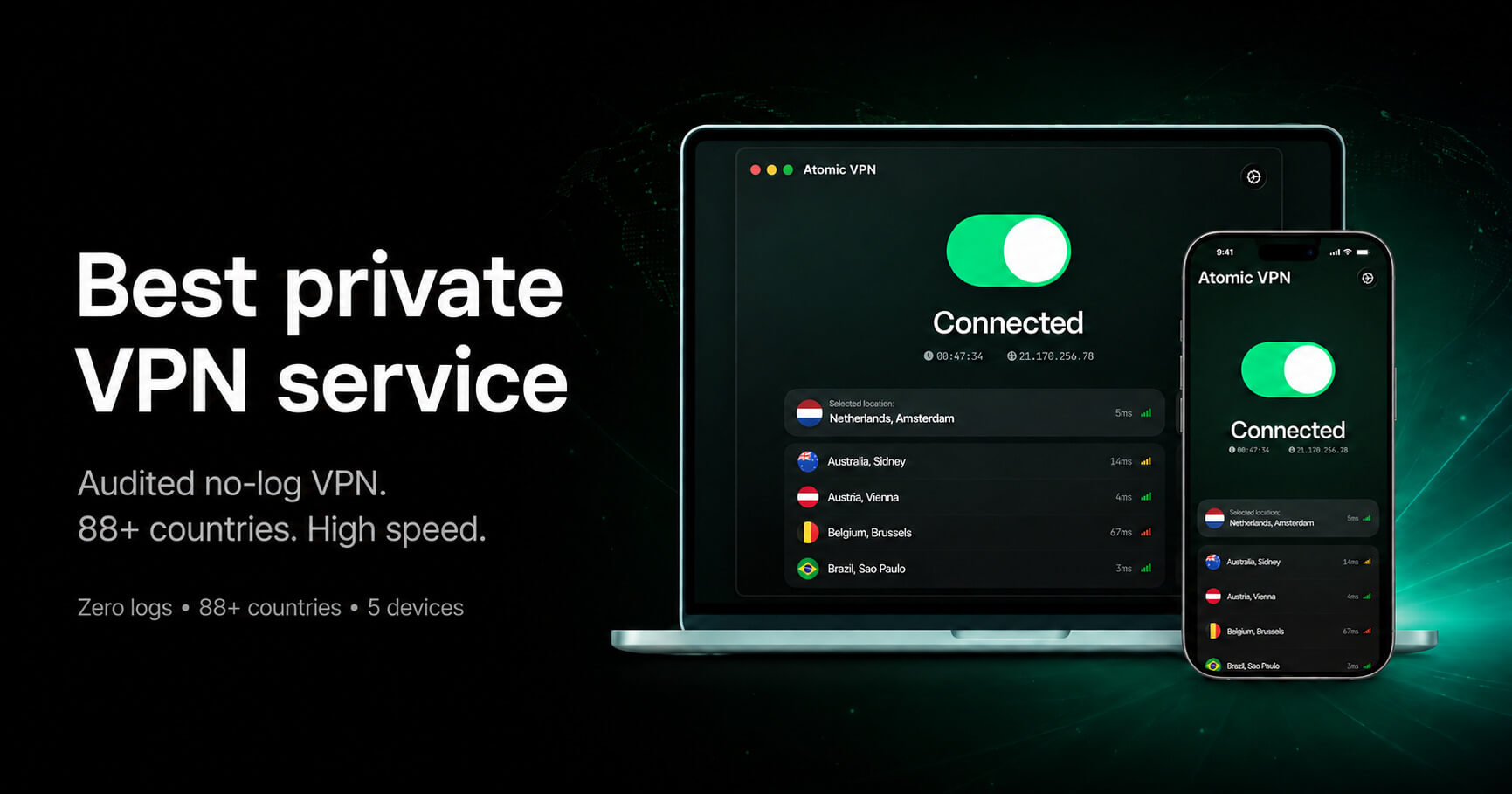
Your MacBook joins café, hotel and office Wi-Fi every week. Atomic VPN encrypts every app on macOS, so the network owner can't see what you do online.

 Zero-log policy VPN
 1 account for 5 devices
 6500+ servers across 88+ countries
 1-click VPN connection
Why you need a VPN for your Mac
macOS protects the Mac itself, not the network it joins. A VPN for Mac encrypts the traffic of every app, from Safari and Chrome to Mail, Slack and Zoom, so the Wi-Fi owner and anyone nearby see one encrypted connection instead of the sites you visit.
Your Mac has a VPN menu in System Settings, but no VPN service behind it. Atomic VPN is a Mac VPN app with 6500+ servers in 88+ countries, an audited no-logs policy and WireGuard speed, from $1.99 a month.
Built for how you use your Mac
Four Mac problems, and how Atomic VPN handles each.

Every app on macOS
Safari, Mail, Slack, Zoom and Steam all go through the tunnel, not just the browser.

Fast enough for work
WireGuard by default: video calls, cloud sync and big downloads keep their speed.
No free-VPN tradeoff
Many free VPN apps log or sell data. Atomic VPN has an audited no-logs policy.

Mac, PC and Android
One account covers 5 devices: MacBook, iMac, Windows PC and Android phone.
How to set up a VPN on Mac
Four steps, two minutes, no manual settings.
Download the app
Download Atomic VPN for Mac (.dmg) and drag it to your Applications folder.
Allow the VPN
The first time, macOS asks to add a VPN configuration. Click Allow.
Pick a server
Sign in, choose a country or let the app take the fastest one, then connect.
Check it works
Open a what's-my-IP page: it now shows the VPN server, not your home address.
iCloud Private Relay is not a VPN
Private Relay comes with iCloud+ and hides your IP address only in Safari and some unencrypted app traffic. Chrome, Firefox, Mail apps, games and most other apps on your Mac still connect with your real IP address.
You can't pick a country with Private Relay either, only an approximate region near you. A VPN for Mac covers every app and lets you choose from 88+ countries. You can keep both on: Atomic VPN handles the full connection.
One account for Mac, PC and Android
Atomic VPN has apps for Mac, Windows and Android. One account covers 5 devices at once, so your MacBook, work PC and phone are protected with the same login.
Setting the VPN up on a router doesn't use one of your 5 device slots, so home Wi-Fi can be covered too while your Mac and phone keep their own slots.
Pick a term. Everything else is the same
More Mac guides


VPN for Mac: common questions
Yes, if you use public or shared Wi-Fi. A VPN encrypts the traffic of every app on networks you don't control, so the network owner and other users can't see which sites you visit.
Not a VPN service. macOS has VPN settings in System Settings, but you need a VPN app or your own server to connect to. Atomic VPN installs as a regular Mac app and adds its own configuration.
Yes, but many free VPN apps log your activity, show ads or limit speed to pay for servers. Atomic VPN is a paid VPN from $1.99/mo with an audited no-logs policy. One month is $5.99 if you only need it short term.
Download the Atomic VPN app for Mac, drag it to Applications and sign in. Click Allow when macOS asks to add a VPN configuration, then pick a server and connect.
Click Disconnect in the Atomic VPN app. You can also switch it off in System Settings → VPN. Your Mac then uses your normal connection again.
A little. Encryption adds a hop, but WireGuard keeps the drop small: on a nearby server most people see under 10%. Pick a server close to you for the best speed.
In most countries, yes. Using a VPN is legal in the US, UK, Canada and most of Europe. A few countries restrict VPNs, and illegal activity stays illegal with or without one.
Yes. One account covers 5 devices at once: Mac, Windows PC and Android. A router connection doesn't use one of the slots.





Protect your Mac today
Install Atomic VPN and browse privately on any network. Plans from $1.99/mo, cancel in one click.