
Use a Dutch IP while abroad
When travelling outside the Netherlands, select the Netherlands so routed traffic uses the VPN server’s IP. Websites may also consider your account country or device signals.
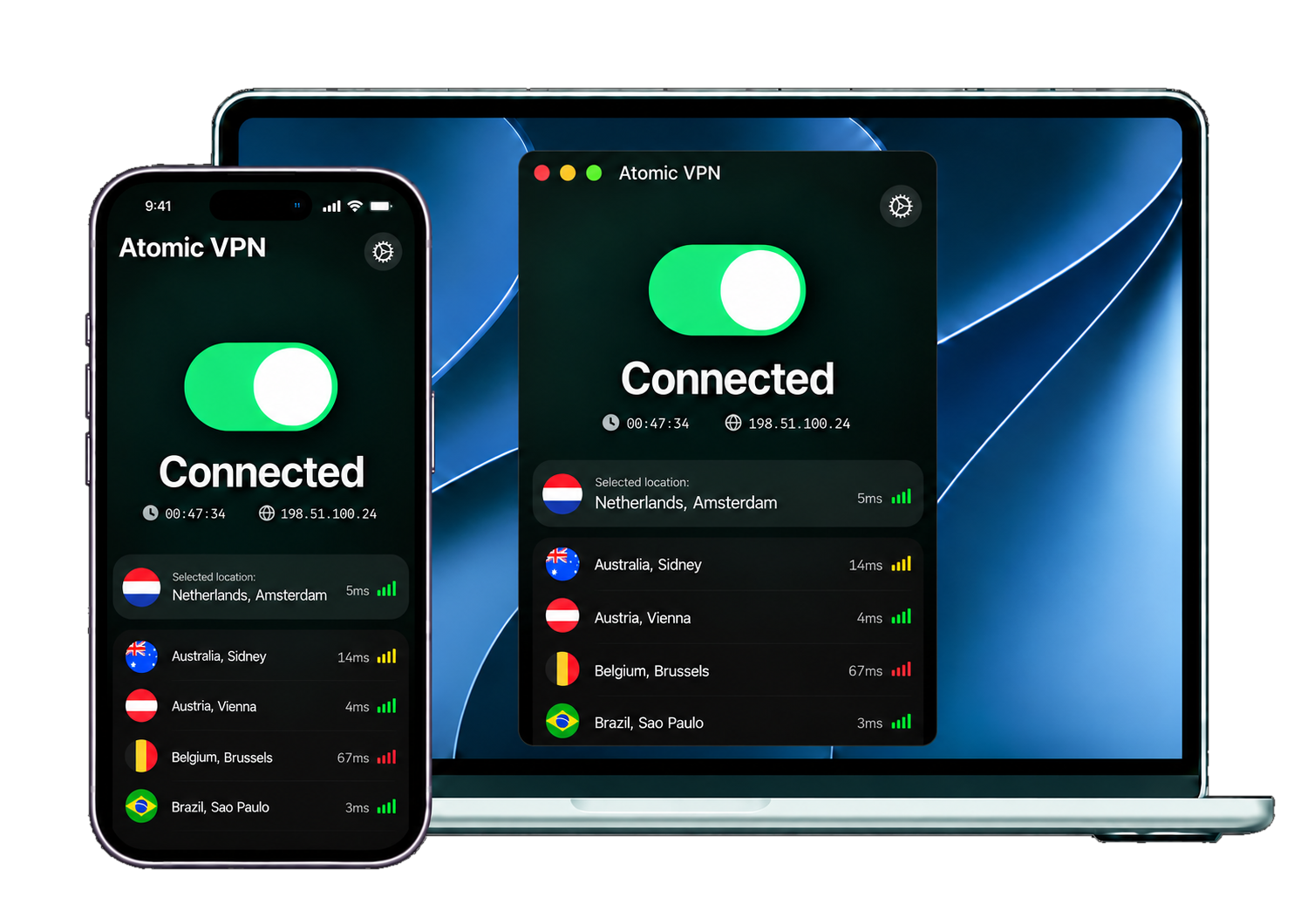
Choose the Netherlands in Atomic VPN to get a Dutch IP address for routed traffic. Encrypt your connection on public Wi-Fi, at home or while travelling.
 Audited no-log network
 One account, five devicesNetherlands location
 One-click connection
Connect from the Netherlands or abroad with a clear view of what a VPN changes.
When travelling outside the Netherlands, select the Netherlands so routed traffic uses the VPN server’s IP. Websites may also consider your account country or device signals.
Your provider can see the encrypted connection to Atomic VPN, while traffic inside that tunnel is less visible to it. Websites you sign in to can still identify your account.
On a network you do not control, the VPN encrypts traffic between your device and its server. That helps keep the network operator from reading traffic inside the tunnel.
Select the Netherlands in the app and connect to an available VPN server. Check the current location options in the app; there is no server address to configure yourself.
A useful connection starts with clear expectations.
A VPN changes the network path for traffic sent through it. When you choose the Netherlands, websites generally see a Dutch server IP instead of your ordinary public IP. This applies to traffic routed through the VPN, whether you connect from the Netherlands or overseas.
The encrypted tunnel covers the route between your device and the VPN server. Your internet provider or a public Wi‑Fi operator can still see that you connected to a VPN, but has less visibility into destinations inside the tunnel. The website at the other end can still recognise you through a login, cookies or other signals.
Check the provider’s data practices as well as its location list. Atomic publishes a no-log policy, describes its servers as RAM-only and separates account information from VPN traffic. Those are network and account practices; they do not erase data a website already holds about you.
The endpoint shapes the public IP that sites see.
Your device connects through an encrypted tunnel to the VPN location you select. The server forwards routed requests to their destination using its public IP. Choosing an endpoint in the Netherlands gives that traffic a Dutch IP; the app shows the current connection options.
Server location describes where the tunnel ends. It does not guarantee that every packet takes a particular physical route on its way there. Network operators choose routes across the wider internet, and those routes can change. The encrypted leg remains between your device and the VPN server regardless of the intermediate path.
After traffic leaves the VPN server for a website, ordinary internet routing applies. A VPN cannot control the website’s own location, account rules or the path beyond its server. That distinction matters when you use a Dutch IP while abroad: the IP changes, but your device and accounts do not move.
Choose the Netherlands in Atomic VPN to use a Dutch IP address. Open the app’s location list to check the available connection options before you connect.
Explore all server locationsAtomic publishes its network and account-data practices. Here is what its current materials say.
No activity logs. Atomic says it keeps no browsing history, DNS queries through its resolvers or network-side connection logs.
Separate account data. Your account and subscription details are held apart from VPN traffic.
RAM-only nodes. Atomic describes its VPN servers as diskless, with data cleared on reboot.
A connection through the Netherlands changes the public IP websites see for routed traffic. The route between your device and the VPN server is encrypted, reducing the visibility of a local internet provider or Wi-Fi operator into destinations inside that tunnel.
Your physical location does not change. GPS, nearby Wi‑Fi, an account country, cookies and browser fingerprinting can still reveal or suggest where you are. A VPN also does not override a website’s own access rules.
Changes to the VPN server’s public IP for routed traffic.
Encrypted between your device and the VPN server.
Your ISP sees the VPN connection, with less visibility into destinations inside it.
Choose the term that suits you. The included features stay the same.
You save $48
Get Atomic VPNPaid annually, cancel anytime.
Practical answers before you connect.
Install Atomic VPN on a supported device, choose the Netherlands in the location list and connect. Websites generally see the VPN server’s public IP for traffic routed through it.
It routes traffic through a VPN server in the Netherlands, replacing your ordinary public IP with the server’s Dutch IP. The connection between your device and the VPN server is encrypted.
You can select the Netherlands while travelling where the VPN connection is available. A Dutch IP does not guarantee access to a particular website or service; account and access rules still apply.
Your ISP can see that you connected to a VPN server, but traffic inside the encrypted tunnel is less visible to it. Websites you visit can still see the VPN server’s public IP and recognise accounts you use.
A VPN adds encryption and a different network route, which can affect speed. Distance, network conditions and server load all matter; try an available location closer to you if your connection feels slower.
Atomic currently offers downloads for Windows, macOS and Android. One account supports up to five devices. Other platforms shown above are marked coming soon.