
You type a search into Google and, instead of results, you get a page that says: "Our systems have detected unusual traffic from your computer network." Then a CAPTCHA asks you to click on traffic lights. Sometimes it goes away after one try. Sometimes it comes back on every search.
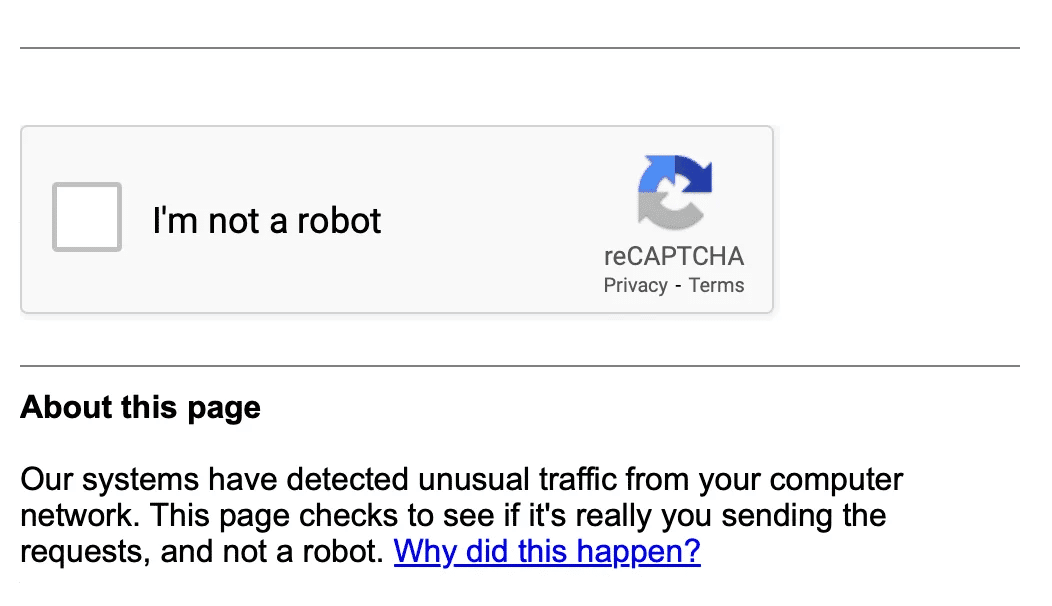
The message doesn't mean you're hacked, and it doesn't mean Google has banned you. It means Google saw traffic coming from your IP address that looked automated, and it wants proof there's a person on the other end. Here's what triggers it and how to make it stop.
What the message means
Google protects its search engine from automated traffic: bots scraping results, tools checking rankings, and scripts sending thousands of queries. When a lot of searches arrive from one IP address in a pattern that looks automated, Google starts treating everything from that address as suspicious.
It can't see who is behind the address. So it shows everyone on that IP the same challenge: a reCAPTCHA. A real person can solve it and keep searching. A bot usually can't.
Google's own help page says it considers these sources automated traffic:
- Robots, computer programs and automated services
- Search scrapers
- Software that sends searches to check where a website ranks on Google
The key point: Google judges the network, not your device. If someone else on your IP address is running a scraper, you get the CAPTCHA too.
The 7 real causes
1. You're on a VPN or proxy
This is the most common reason. A VPN server gives the same public IP address to many users at once. If even a few of them run automated searches, Google flags the whole address. Google's help page names VPNs and IPv6 tunnel services directly, and notes that some make it impossible for Google to tell abusive traffic from normal traffic.
2. You're on a shared network
Offices, schools, libraries, hotels and coworking spaces route hundreds of people through one or a few public IP addresses. One person running an SEO tool or a script is enough to trigger the CAPTCHA for everyone.
3. Your mobile carrier shares IP addresses
Many mobile carriers, and some home internet providers, use a technique called carrier-grade NAT (CGNAT) to put many customers behind the same public IP address. That's why the message sometimes appears on mobile data even with no VPN running. Google's help page notes that it can happen when others on the same internet provider send automated searches.
4. Malware on a device in your network
Some malware uses infected computers to send searches, click ads or scrape pages. Because it runs in the background, you won't see it, but Google will. Google specifically says malware on your device, or on another device on your network, can cause this message.
5. Browser extensions that search for you
Extensions that check rankings, scrape results, compare prices or "automate" browsing can send searches you never typed. Try disabling extensions one by one, or search from a clean browser profile or private window with extensions turned off.
6. You searched very fast or used advanced operators a lot
Rapid-fire searches, especially long strings of advanced operators like site:, inurl: or intitle:, can look like a scraper. This is common for researchers, SEO specialists and developers. Slowing down usually fixes it.
7. Your IP address has a bad history
IP addresses get reused. If your address previously belonged to a network that sent spam or ran bots, it may still carry a poor reputation. Google even warns network administrators to test IP ranges before buying them from brokers for this reason.
How to fix it, step by step
- Solve the CAPTCHA. If it appears, this clears the message in most cases. If there's no CAPTCHA, check that JavaScript is enabled and that your browser is up to date, since reCAPTCHA needs both.
- Switch VPN servers, or pause the VPN. If you're on a VPN, connect to a different server, ideally in a less crowded location. If the message disappears when the VPN is off, the shared server IP was the cause.
- Restart your router. Many home internet providers give you a new public IP address when the router reconnects. It doesn't always work, but it's quick.
- Try a different network. Switch from Wi-Fi to mobile data, or the other way around. If the message only appears on one network, the problem is that network's IP address.
- Turn off browser extensions. Especially SEO, scraping, auto-refresh, price-tracking and "free VPN" extensions.
- Scan for malware. Run a full scan on every computer on your network, not just yours. On Windows, Microsoft Defender's full scan is a good start.
- Tell your network admin. At work or school, the IT team can find the device sending automated traffic. Google's help page points administrators to exactly this step.
- Contact your provider. If nothing above helps at home, your internet provider may be able to assign a different IP address.
Does a VPN cause the unusual traffic error?
It can. Being honest about this is more useful than pretending otherwise.
A VPN hides your real IP address by giving you the address of its server, which you share with other users. That's a big part of the privacy benefit: websites can't single you out. The trade-off is that you also share the server's reputation. If other people on that server run bots, Google may show you CAPTCHAs.
What helps:
- Switch servers. A different server usually means a different IP address with a cleaner history.
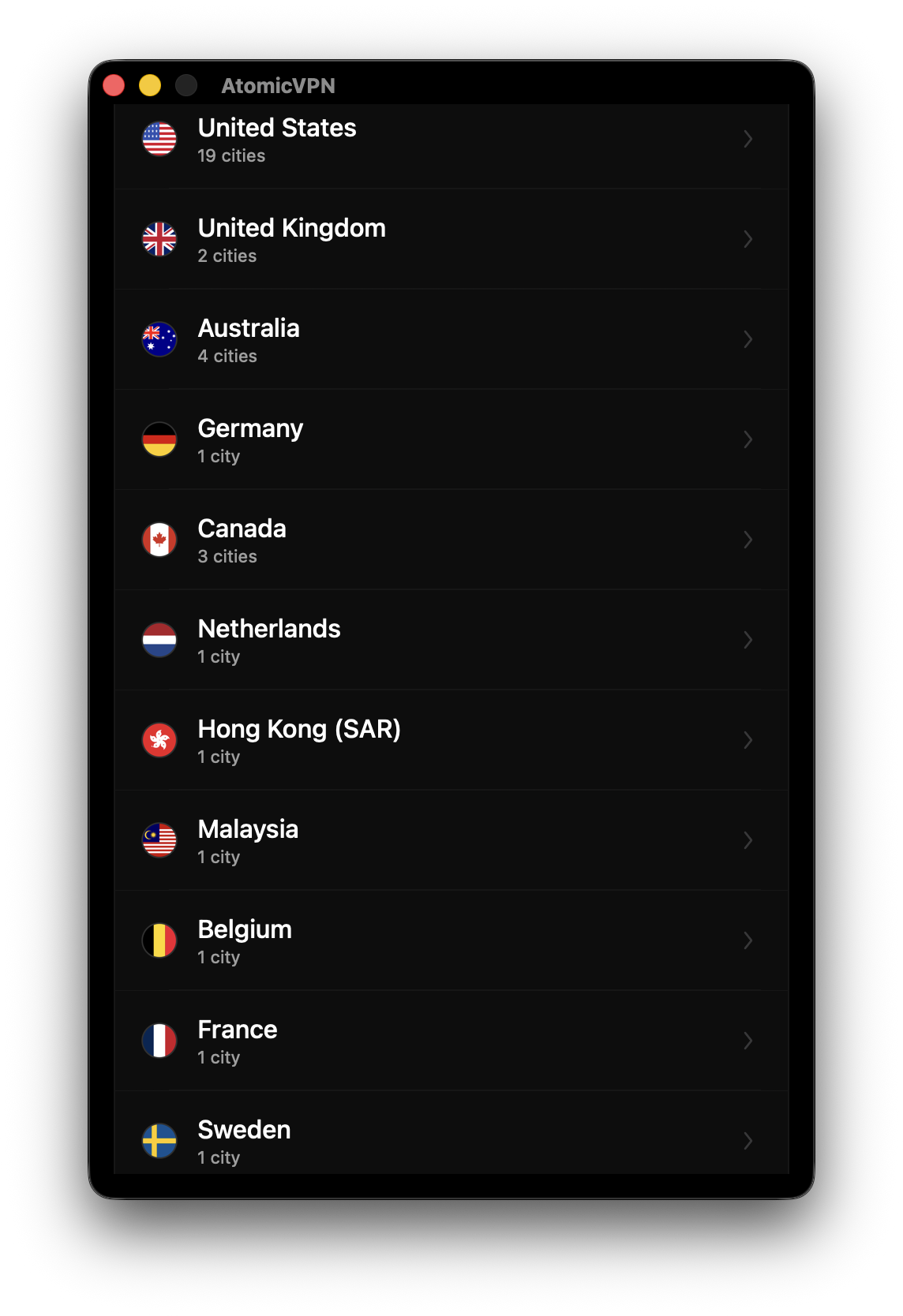
- Choose a nearby, less crowded location rather than the default server in the busiest city.
- Keep the VPN on for privacy, and pause it for a moment only if you need a string of searches without interruptions.
- Pick a provider that polices abuse. A VPN that acts on automated abuse keeps its IP addresses in better standing. Google explicitly asks VPN providers to find and block sources of automated traffic.
If your VPN triggers CAPTCHAs constantly, on every server, that tells you the provider's IP addresses are heavily abused. Free VPNs are the usual suspects.
Is it dangerous?
The message itself is harmless. It's a traffic filter, not a security warning. Two things are worth checking, though:
- If it appears at home with no VPN, rule out malware on your devices. A hidden program sending searches may be doing other things too.
- If a "Google" page asks for your password or payment details to "verify" you, it's a scam. Google's real check is a reCAPTCHA and never asks for your login or card.
Using Atomic VPN without constant CAPTCHAs
- 88+ countries, 6,500+ servers. If one server's IP address is flagged, switch to another in seconds.
- WireGuard by default for fast reconnects when you change servers. OpenVPN over TCP 443 is there if a network blocks VPN traffic, as explained in WireGuard vs OpenVPN.
- DNS inside the tunnel, so your lookups don't leak to your provider. You can confirm it with a DNS leak test.
- No activity logs, RAM-only servers and an independently audited no-log policy.
- $2 a month on the yearly plan, 5 devices.
Apps for Windows and macOS are available now. iOS and Android apps are on the way. For other kinds of blocks and errors, see our unblock guide.
FAQ
Why does Google say "our systems have detected unusual traffic from your computer network"?
Because searches from your IP address look automated. Often other people share that address with you, for example on a VPN, a school or office network, or a mobile carrier.
How do I stop Google from asking me to verify I'm not a robot?
Solve the CAPTCHA, then switch VPN servers or networks, restart your router, disable extensions that send searches, and scan for malware. If it keeps happening on one network, that network's IP address is the cause.
Does using a VPN cause the unusual traffic message?
It can, because many users share each VPN server's IP address. Switching to another server usually fixes it.
Does the unusual traffic message mean I have a virus?
Not necessarily. Most of the time it's a shared IP address. But malware can cause it, so scan your devices if it happens at home without a VPN.
Why do I get the Google CAPTCHA on mobile data?
Mobile carriers often put many customers behind the same public IP address (carrier-grade NAT). If someone else on that address sends automated searches, you see the CAPTCHA too.
Why is there no CAPTCHA, just the error?
reCAPTCHA needs JavaScript and a supported browser. Enable JavaScript, update your browser, or try another one.
Can Google block my IP address permanently?
The message usually disappears once the automated traffic stops. If it never goes away on one network, contact the network administrator or your internet provider.
Is the unusual traffic page a scam?
The real page only shows a reCAPTCHA. Any "verification" page that asks for your Google password or card details is a scam.
.webp)
.png)






