Someone in a Discord call sends a "Spotify playlist", you click, and a minute later they post your IP address and city in the chat. That was probably a Grabify link. It's scary the first time, and much less dangerous than it looks.
This guide explains what Grabify and other IP loggers record, what someone can actually do with your IP, how to spot these links before you click and how to stop them from seeing your real address next time.
What is Grabify?
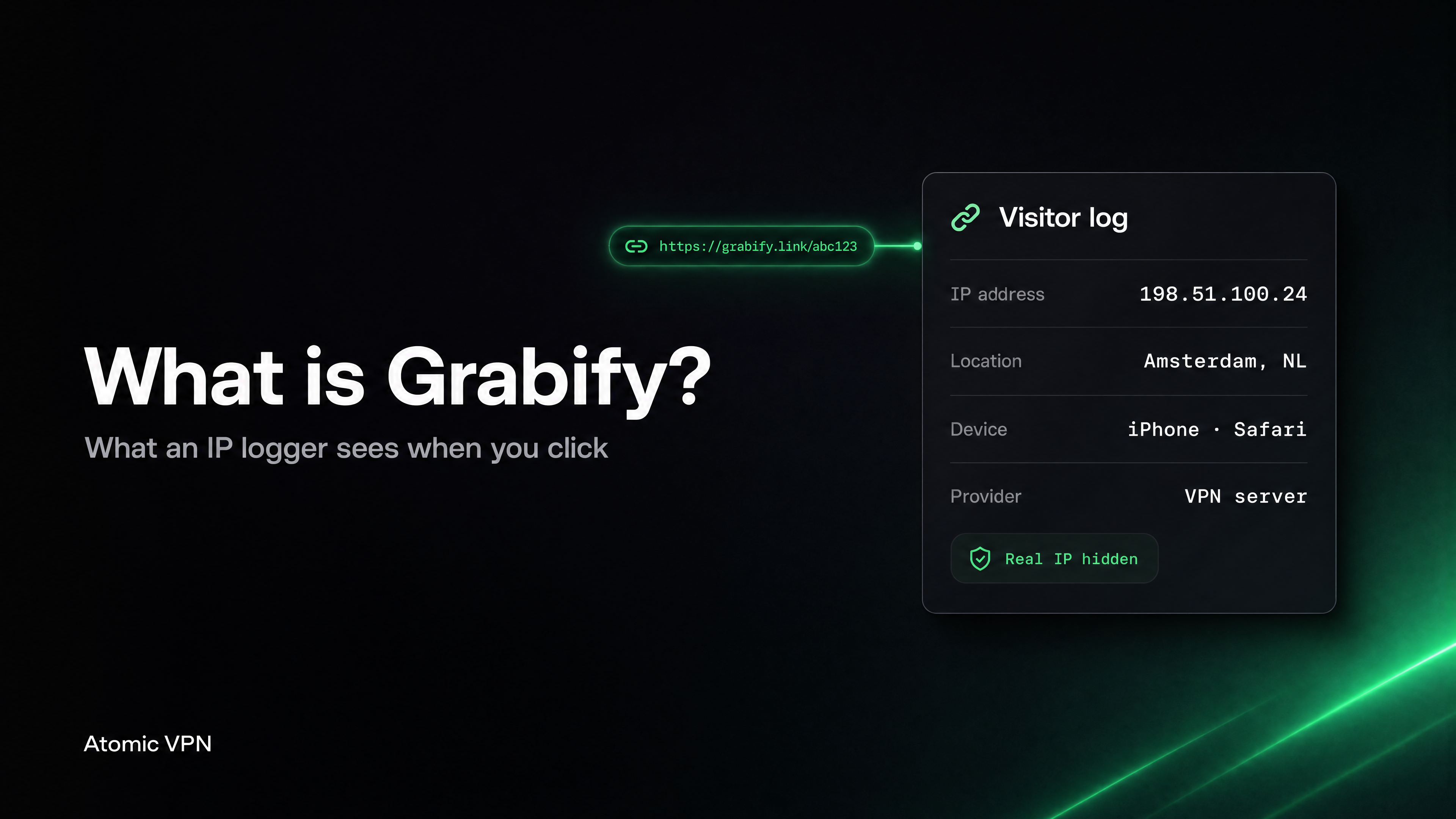
Grabify is a website that turns any link into a short tracking link. The person who creates it sees a log every time someone opens it. The visitor sees nothing unusual: they land on the real page, a YouTube video or a playlist, a second later.
Grabify is the best-known name, but the same type of tool is called an IP grabber or IP logger. IPLogger and many smaller services work the same way. Some services, like IPLogger, offer an "invisible pixel" that hides the logger inside an image, so even loading a picture can trigger it.
The tool itself is legal in most countries, and some people use it for legitimate reasons, like checking who clicks a link in a phishing test. In Discord servers and game chats it's mostly used to scare people.
What happens if you click a Grabify link?
The page loads normally, and the creator's dashboard gets a new entry. According to Grabify's own FAQ, a log can include:
Grabify's FAQ itself says the location "is an approximation", because IP geolocation can't place a person on a map. It's often off by several miles, and on mobile data it can show a city hundreds of miles away.
What a logger can't get from a click: your name, home address, passwords, messages, photos, contacts or anything stored on your device. Opening a link to a normal page doesn't install anything.
What can someone do with your IP address?
This is the real question behind most searches, so here's the honest version.
Things that can happen:
- Scare tactics. "I know you're in Dallas." True or not, that's usually the whole attack.
- DDoS. Someone floods your connection with traffic so your internet drops for a while. It's illegal in the US and most countries, and it stops when they stop or when your IP changes. Gamers who stream or host servers get hit most.
- Rough location for social engineering. City plus provider plus your username can help someone guess more about you, especially if your profiles share personal details.
- Port scanning. Someone checks whether your router has open ports. Home routers block nearly all of them by default. The risk goes up if you host a game server or have old smart cameras that open ports on their own.
Things that don't happen from an IP alone:
- Finding your street address. Only your internet provider can match an IP to a customer, and they share that with police under a legal order, not with a kid on Discord.
- Hacking your phone or computer.
- Reading your messages or seeing your screen.
Every site you visit sees your IP. Grabify only makes the log easy to read for someone you don't trust. A thread on r/techsupport shows the typical case, a 16-year-old after a fake Spotify link in Discord, and the top replies say the same: annoying, rarely dangerous.
How to spot a Grabify or IP logger link
Loggers work because the link looks harmless. Before you click a link from someone you don't know well:
Look at the domain, not the preview. Discord and other apps show a preview card from the final page, so a logger link can show a real YouTube thumbnail. Check what's actually written in the link.
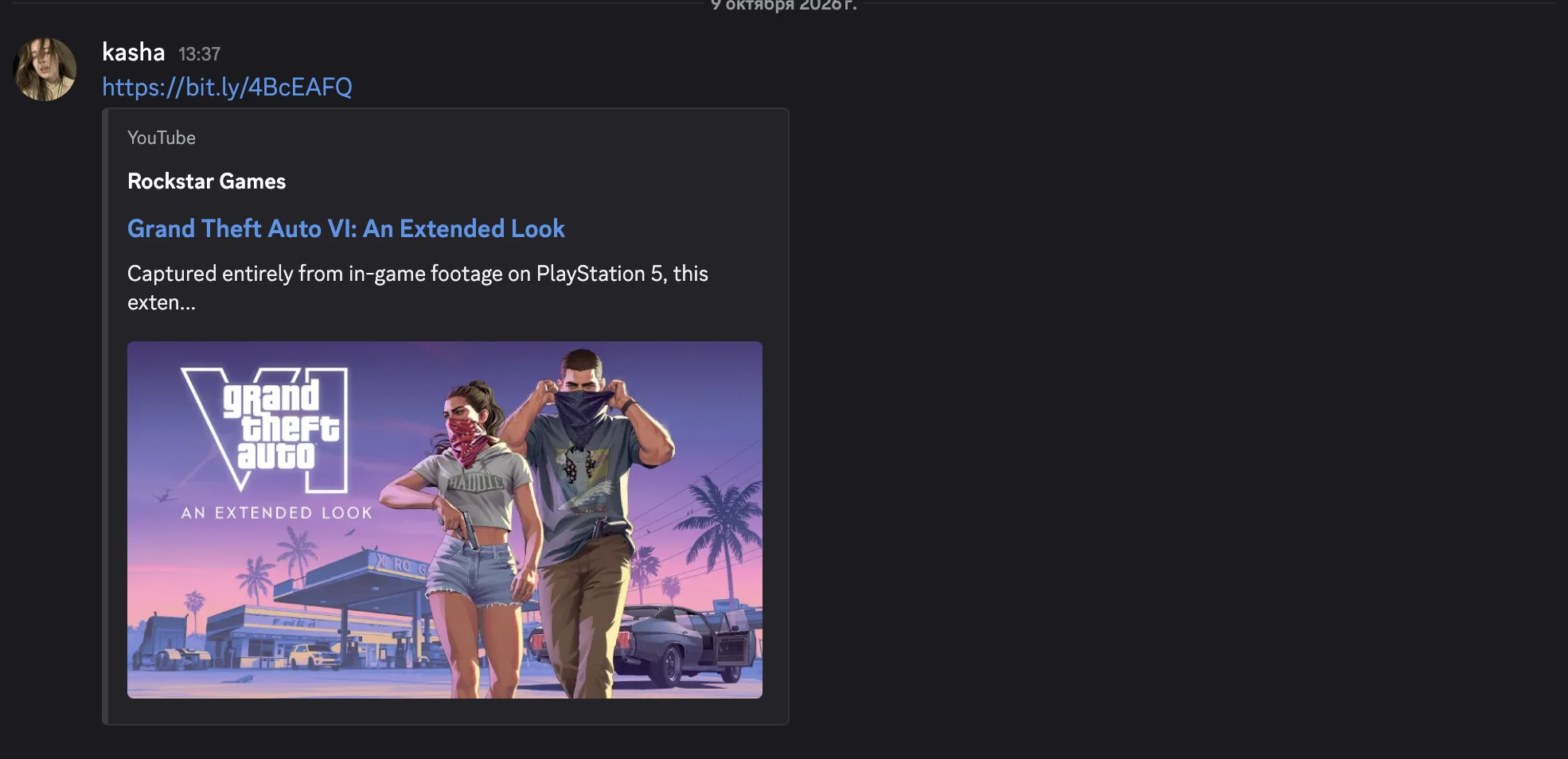
Be wary of shorteners. grabify.link, iplogger domains, 2no.co and yip.su are common logger domains. Generic shorteners (bit.ly, tinyurl.com) are not loggers by themselves, but they hide the destination.
Expand the link first. A link expander shows where a short link really goes without you opening it. Paste the link into one and read the result.
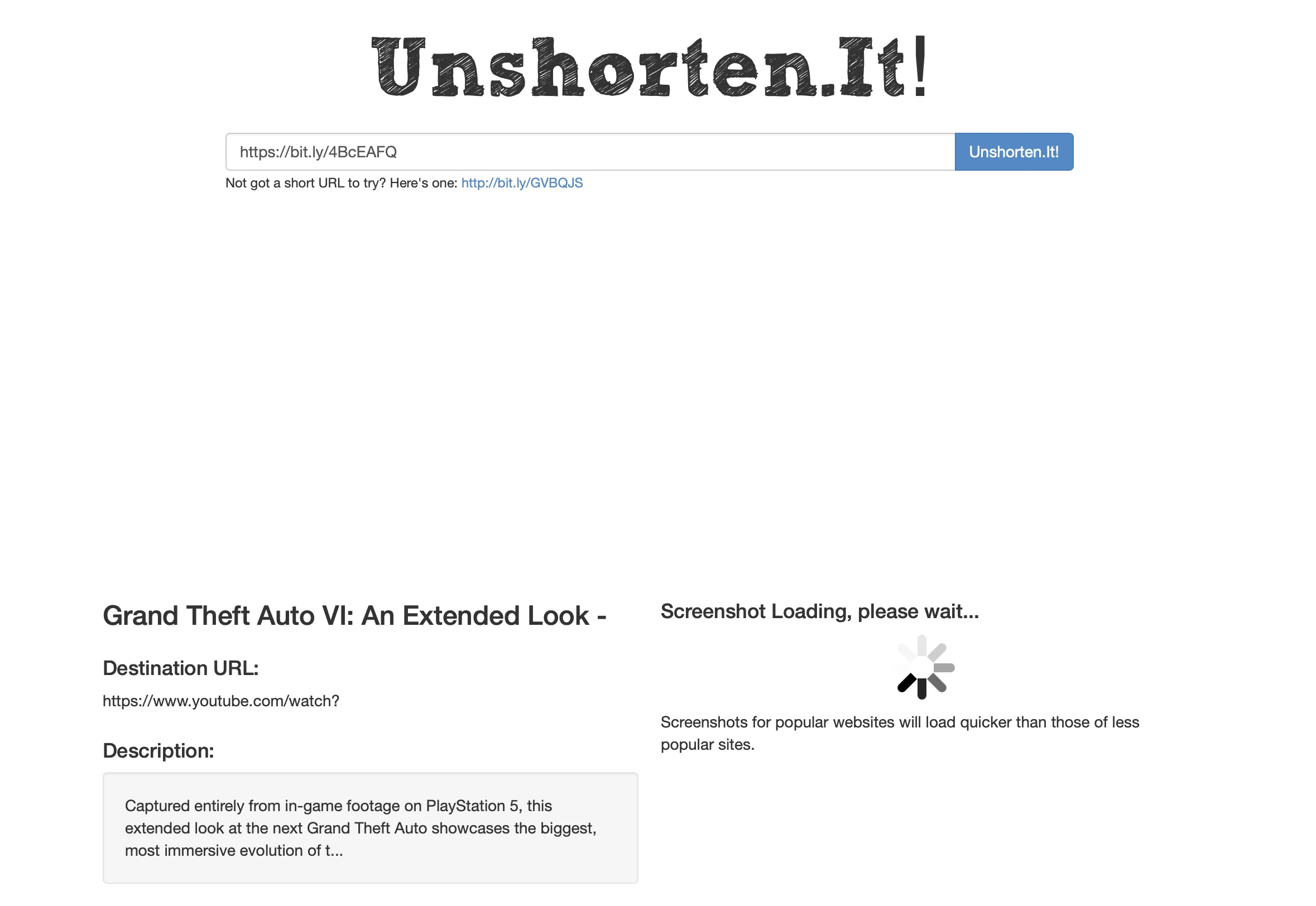
Ask for the full link. "Send me the normal YouTube link" is a fair request. People sharing a real video don't mind.
Watch the context. "Check out my playlist" from someone who just joined the call, or pressure to click fast, is the classic setup.
Discord IP grabbers
Discord is where most people meet Grabify links, so it's worth knowing two things.
First, Discord itself doesn't show your IP to other users. In voice calls, traffic goes through Discord's servers, not directly between members. The only way for a random user to get your IP is to make you open something outside Discord, like a link, an image host or a game invite.
Second, "Discord IP grabber" bots and downloads that promise to pull someone's IP from a username are mostly scams or malware. Don't install them, and don't run files people send you in DMs.
If someone threatens you with your IP or location, take a screenshot, block them and report the message through Discord's Safety Center. If the threat is serious (a threat of violence or "swatting"), tell a parent or an adult you trust and report it to the police or the FBI's IC3.
We cover what Discord collects and shares in more detail in Discord Age Verification: What It Means for Your Privacy.
What to do if you clicked a Grabify link
Calm first. You didn't download anything, and your accounts are fine.
How to hide your IP from IP loggers
The only way to stop a logger from seeing your real IP is to not let your device connect to it with your real IP. Options:
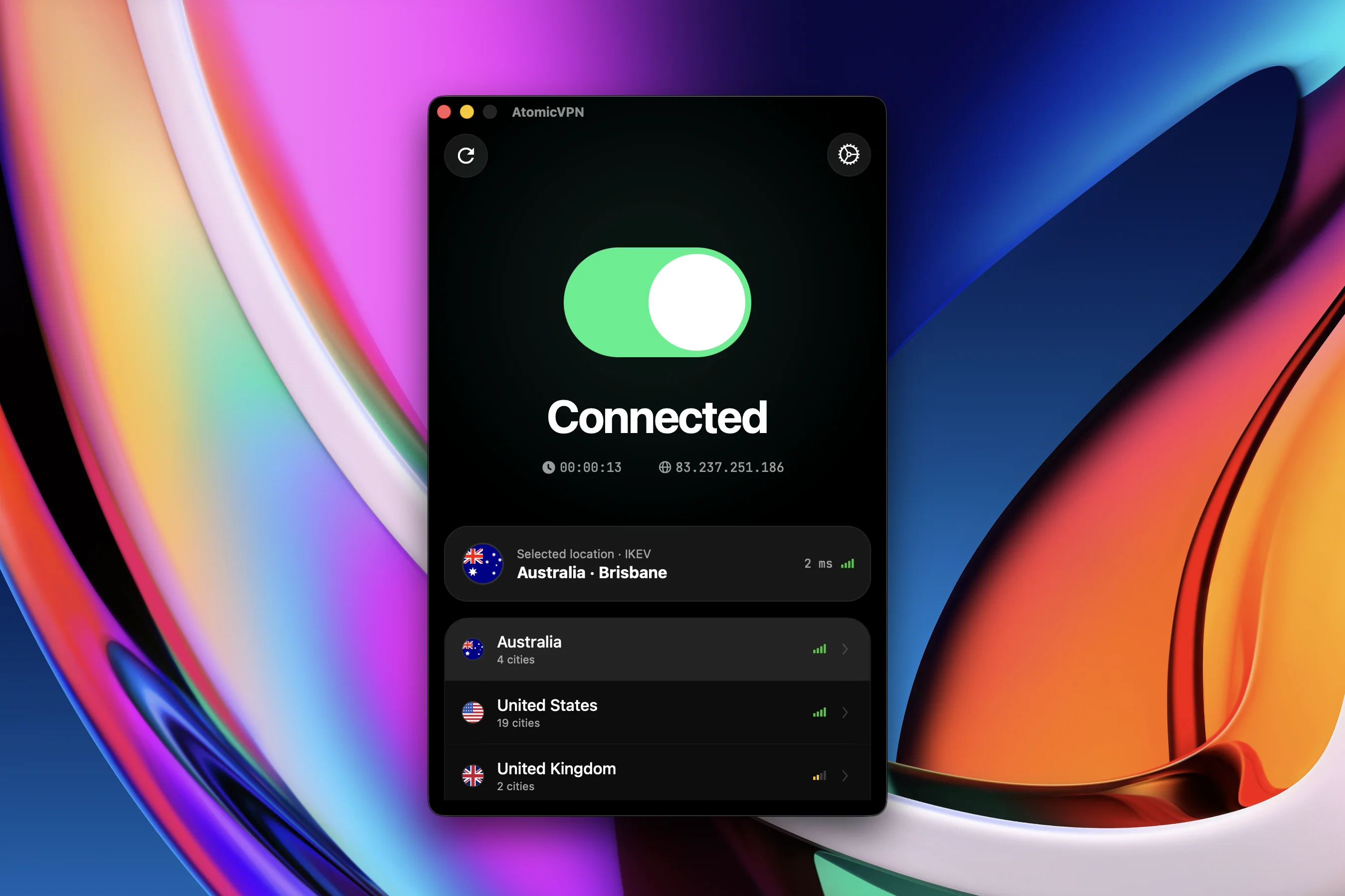
- A VPN. All your traffic goes through a VPN server first, so Grabify logs the server's IP and city, not yours. This works for every link, every image and every game invite, without you having to check each one. Atomic VPN has apps for Windows, macOS, iOS, Android and Linux, uses WireGuard by default and keeps no activity logs. Setup takes a few minutes: How to Set Up a VPN.
- Mobile data instead of Wi-Fi. Your mobile IP is shared by many customers and points to your carrier, not your home. Better than nothing, not private.
- Tor Browser. Hides your IP for websites, but it's slow and many sites block it.
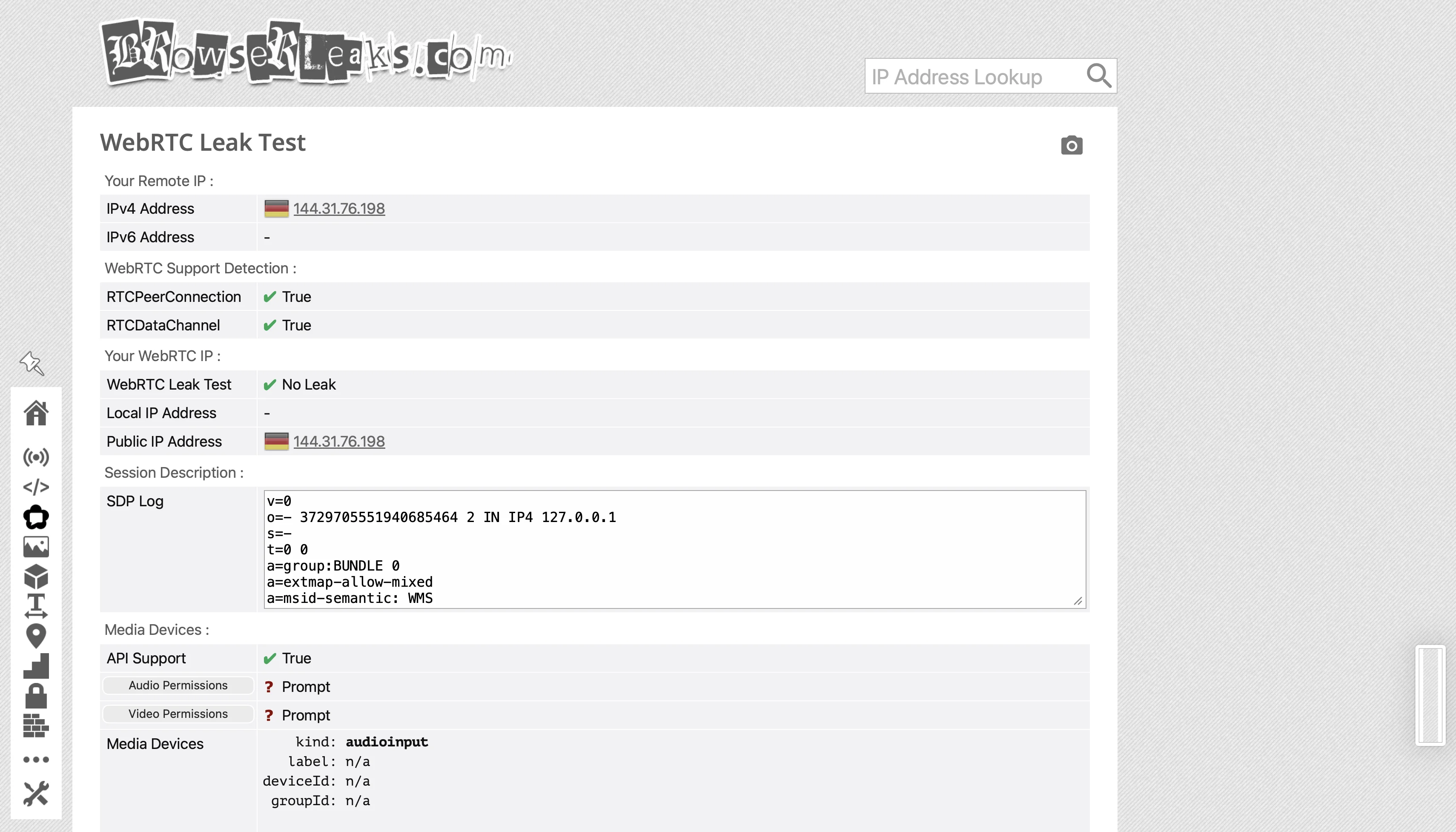
One detail most guides miss: the "Local IP" line in Grabify's log comes from WebRTC, a browser feature used for video calls. Chrome, Safari and Firefox now usually hide the local address behind a random name ending in ".local", so this line is often empty or meaningless. The bigger issue is your public IP: in some browsers, WebRTC can reveal your real IP even with a VPN on. Check it once: connect to your VPN, open a WebRTC leak test page and make sure only the VPN's address shows up. If your real IP appears, turn off WebRTC in your browser settings or use a browser extension that blocks it.
For gamers: a VPN adds a little ping. Pick a server near you and the difference is usually small. Some players connect only when they open links from strangers or stream.
A note for parents
If your kid comes to you after "someone got my IP", the right reaction is the same as for any online scare: thank them for telling you. The click itself almost never causes harm. What matters is whether the other person keeps contacting them, asks for photos, or pushes them to download something. Block, report, and keep an eye on who they talk to, not on the IP.
FAQ
What happens if I click on a Grabify link?
The link opens the real page, and the person who made it sees your IP address, approximate city, internet provider, device and browser. Nothing is installed and your accounts aren't affected.
Can someone find my address from a Grabify link?
No. An IP address shows a rough area and your internet provider. Only the provider can match it to a customer's address, and they do that for police under a legal order.
Is Grabify safe to click?
Clicking won't infect your device, but it hands your IP and device details to a stranger. Don't open short links from people you don't trust, or use a VPN so the logger sees a different IP.
Is Grabify illegal?
The tool itself is legal in most places. Using the information to threaten, stalk or DDoS someone is illegal in the US and most countries.
Does a VPN stop Grabify?
Yes for your IP: the logger records the VPN server's address and location. It still sees your device type and browser, and you should check that your browser doesn't leak your real IP through WebRTC.
How do I know if a link is an IP logger?
Check the domain before clicking. Known logger domains, unknown shorteners and links sent with pressure ("click quick") are red flags. A link expander shows the real destination without opening it.