A 403 Forbidden VPN error almost always means the website is refusing the VPN server's IP address, not you personally. To confirm it, turn the VPN off and reload the page. If the page opens, the block is tied to the VPN. Switching to another server, picking one in your own country or letting that site bypass the VPN usually fixes it. Below you'll find a one-minute test, what each error page means and the fixes in order.
What does 403 Forbidden mean?
A 403 Forbidden error means the server understood your request and decided not to serve it. According to MDN's reference on HTTP status codes, that's the key difference from a 401 error. With a 401, logging in can fix the problem. With a 403, logging in again makes no difference.
In other words, usually nothing is broken on your side. The site made a decision about the request. On a VPN, that decision is usually about the IP address you're connecting from.
Is it the VPN or the site? A one-minute test
Before you change any settings, first find out where the block comes from. These three checks take about a minute.
First, turn the VPN off and reload the page. If it opens now, the site is blocking the VPN's IP address. Otherwise, if you still get a 403, the VPN isn't the cause.
Next, turn the VPN back on and connect to a different server, ideally in another city. A new server means a new IP address. If the page opens, only the first IP was blocked.
Finally, if you still get a 403 without the VPN, try the page on mobile data or in another browser. If it loads there, that points to your home network, a browser extension or old cookies.
Why websites block VPN users with a 403 error
Sites don't block VPN users out of spite. In most cases, a 403 forbidden VPN block comes from one of four rules.
Many people share one IP address
A VPN server gives the same IP address to many users at once. To a website, that looks like one visitor sending a huge number of requests. Akamai, which serves many large sites, blocks IP addresses that connect too often to protect against attacks. Microsoft also explains that this block is usually temporary and lifts once traffic drops.
The site blocks known VPN and data center addresses
For example, some sites keep lists of IP ranges that belong to VPN providers and data centers. They block those ranges to cut down on bots, fake accounts or payment fraud. In that case, every server from the same provider may get the same 403.
The content is licensed for certain countries
Streaming services, stores and news sites often limit content by country. Amazon's CloudFront, a service many sites run on, returns a 403 to visitors from blocked countries. It decides where you are by looking up your IP address. As a result, a VPN server abroad can trigger the block even when you live in an allowed country. Streaming platforms go further and block VPN servers on purpose. We explain how streaming services detect a VPN in a separate guide.
The site owner set a firewall rule
Site owners can also block traffic by IP address, network or country. Cloudflare, for example, lets them allow, block or challenge visitors based on their IP, ASN or country. An ASN is the network an IP address belongs to, such as a VPN provider's data center. One rule can therefore block every IP from that network.
Decode the error page and see who blocked you
Often the 403 page itself tells you who made the call. So look at the wording and any reference number at the bottom.
403 Forbidden on Cloudflare sites
On sites behind Cloudflare, you'll see its own pages, such as "Error 1020 Access denied" or "Sorry, you have been blocked," with a Ray ID at the bottom. Cloudflare says error 1020 means a firewall rule set by the site owner blocked the request. So only the owner can lift it. If a new server doesn't help and you need the site, send the owner a screenshot of the error with the Ray ID, as Cloudflare suggests.
How to fix a 403 Forbidden VPN error
Once you know the VPN is the trigger, work through these fixes in order. Test the page after each one.
- Connect to a server in your own country. This fixes blocks based on location.
- Try two or three other servers. Each one has a different IP address. Only some of them may be on the site's block list.
- Clear the site's cookies, then reload. Some sites remember your earlier region or session in a cookie. As a result, an old cookie may keep the block in place.
- Let that app or site bypass the VPN. Split tunneling sends chosen apps outside the tunnel while everything else stays protected. Since it works per app, use a separate browser for the blocked site. You can also exclude an app like Spotify on its own.
- If nothing works, the site blocks VPNs as a policy. Turn the VPN off for that site only, then turn it back on.
However, changing the VPN protocol won't help here. The protocol changes how your device talks to the VPN server, not the IP address the site sees.
Other ways to fix a 403 Forbidden error
If the test showed the VPN isn't the cause, check the basics instead. These cover the common causes in Chrome and other browsers.
- Check the URL. A typo or a link to a folder rather than a page can return a 403.
- Sign in. After all, some pages only open for logged-in users or for certain account types.
- Open the page in a private window. This rules out extensions such as ad blockers and old cookies.
- Wait and retry. Sometimes, if you loaded many pages very quickly, the site may block you for a while.
- Ask the site's support team. Give them the URL, the time of the error and any reference number from the page.
When a 403 error isn't about your VPN
Of course, some 403 errors have nothing to do with a VPN. For example, the page may be private or closed to your type of account. A school or office network can also block certain sites with its own filter, which can show up as a 403. And sometimes the site is simply misconfigured after an update. In those cases, a VPN won't fix anything. Instead, ask the site owner or the network admin.
If you run the site and VPN visitors see 403
If your own visitors report a 403 only when they use a VPN, check your security settings before you look at the server. Start with the firewall rules in your CDN, such as Cloudflare WAF rules and IP Access rules. In CloudFront, check geo restrictions and AWS WAF rules. Look for rules that block whole ASNs, data center ranges or countries. AWS notes that CloudFront can't tell whether a 403 came from your origin or from a WAF block. So check the WAF logs too.
Keep in mind that blocking VPNs outright also turns away privacy-minded visitors and travelers. A challenge such as a CAPTCHA is often a softer option than a hard block.
Server choice and split tunneling in Atomic VPN
No VPN can promise that every site will accept its IP addresses. In the end, the site decides. What helps, then, is having enough choice to work around a block.
Atomic VPN has 6,500+ servers in 88+ countries. That means there's usually a server in your own country and a few others nearby to switch between. The Windows, macOS and Android apps include split tunneling for the one app that refuses to work with a VPN. The iOS app is coming soon.
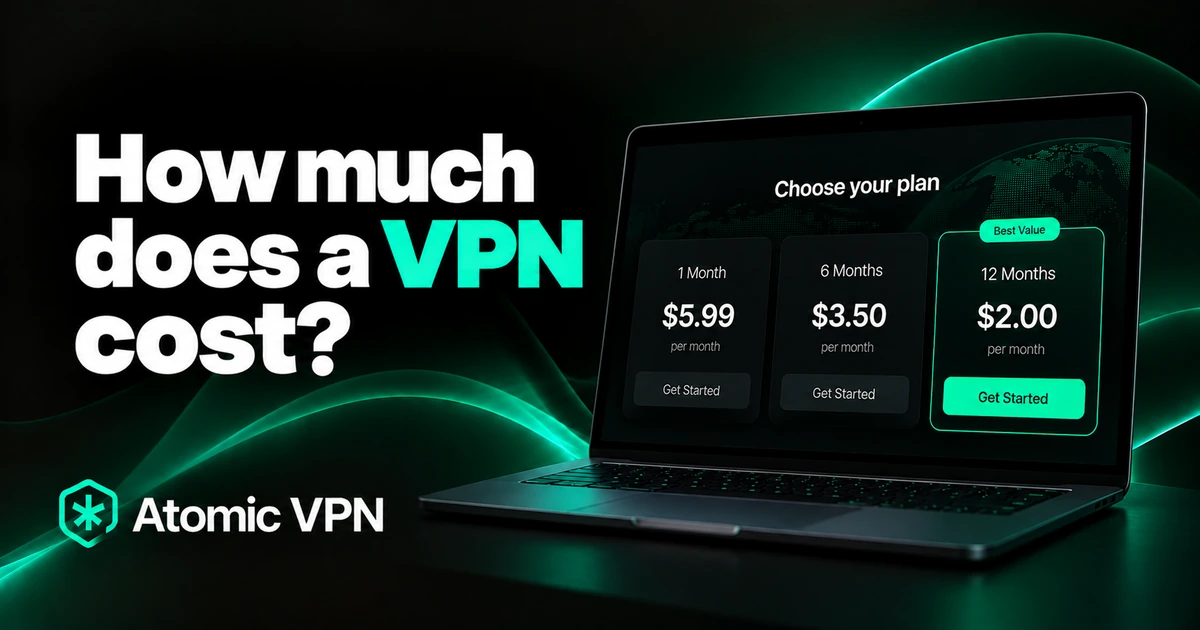
It costs $2 a month on the yearly plan, billed $24 once a year. Month to month, it's $5.99. Every plan has the same features. For more ways around blocks, see our guide on how to unblock websites with a VPN.
Next time a site shows 403, start with a server in your own country, then work down the checklist above.