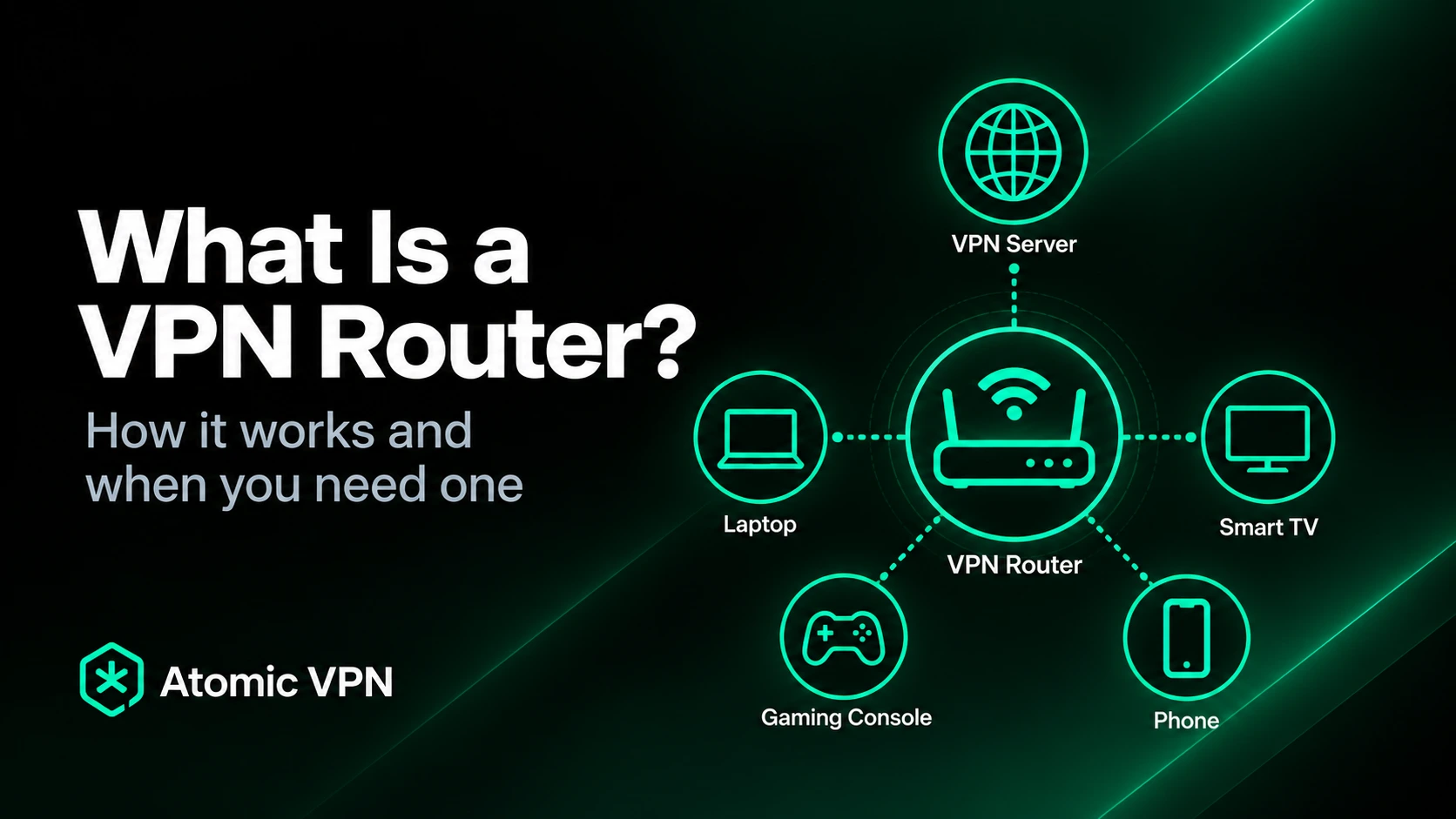
Most people use a VPN through an app installed on a laptop, phone or tablet. A VPN router moves that connection from an individual device to the network itself. Instead of every device creating its own encrypted tunnel, the router connects to the VPN server and can send traffic from multiple devices through that same connection.
This is useful when several devices need the same VPN route or when a device cannot run a VPN app in the first place. Smart TVs and game consoles are common examples, but the same idea can apply to other connected hardware around the home. Once the VPN is configured on the router, those devices can connect to Wi-Fi normally while the router handles the VPN connection in the background.
A VPN router is not necessarily a special category of hardware. In many cases, it is simply a router whose firmware supports VPN client mode and a compatible protocol such as WireGuard or OpenVPN. The important distinction is not what the router looks like, but whether it can establish the VPN tunnel itself and decide which devices should use it.
What is a VPN router?
A VPN router is a router configured to connect to a VPN server and route network traffic through the encrypted tunnel. Instead of the tunnel beginning on an individual laptop or phone, it begins at the router, which acts as the gateway between the local network and the VPN service.
Imagine a home network with a laptop, television and game console connected to the same Wi-Fi. If only the laptop runs a VPN app, the laptop uses the VPN while the other devices continue through the normal internet connection. If the VPN client runs on the router, the router can send traffic from all three devices through the same VPN tunnel.
This changes where the VPN is managed rather than fundamentally changing what the VPN does. Websites still normally see the public IP address of the VPN server instead of the original ISP address for traffic that follows the tunnel. The main difference is that the routing decision can now apply to an entire network rather than one device at a time.
How does a VPN router work?
A normal router already sits between your devices and the wider internet. When a laptop requests a webpage, the request first reaches the router, which forwards the traffic through your internet connection and sends the response back to the correct device.
A VPN-capable router inserts another step into this route. Before selected traffic leaves for the public internet, the router encrypts it and sends it through a tunnel to the VPN server. The VPN server then forwards the request toward its normal destination, so the website sees the VPN server as the source of the connection.
The devices behind the router do not necessarily need to know that this extra route exists. They can continue using Wi-Fi or Ethernet exactly as before, while the router handles encryption, the VPN protocol and the connection to the server.
This model is not limited to consumer VPN services. OpenVPN documents configurations where a router acts as the VPN client for devices behind it, allowing a network gateway to manage the encrypted connection rather than requiring every client device to establish one separately.
VPN client mode, server mode and passthrough are different things
Router settings can become confusing because the word VPN may appear in several places even when the router cannot actually connect your home network to a commercial VPN service. The feature required for this use case is usually called VPN client mode.
In client mode, the router connects outward to the VPN provider. It behaves similarly to the Atomic VPN app running on a laptop, except the connection is managed at the network gateway and can carry traffic from multiple local devices.
VPN server mode serves a different purpose. A router running a VPN server accepts incoming connections from outside the home, which can be useful if you want to connect securely back to your own local network while travelling. That configuration does not automatically send normal household traffic through a commercial VPN server.
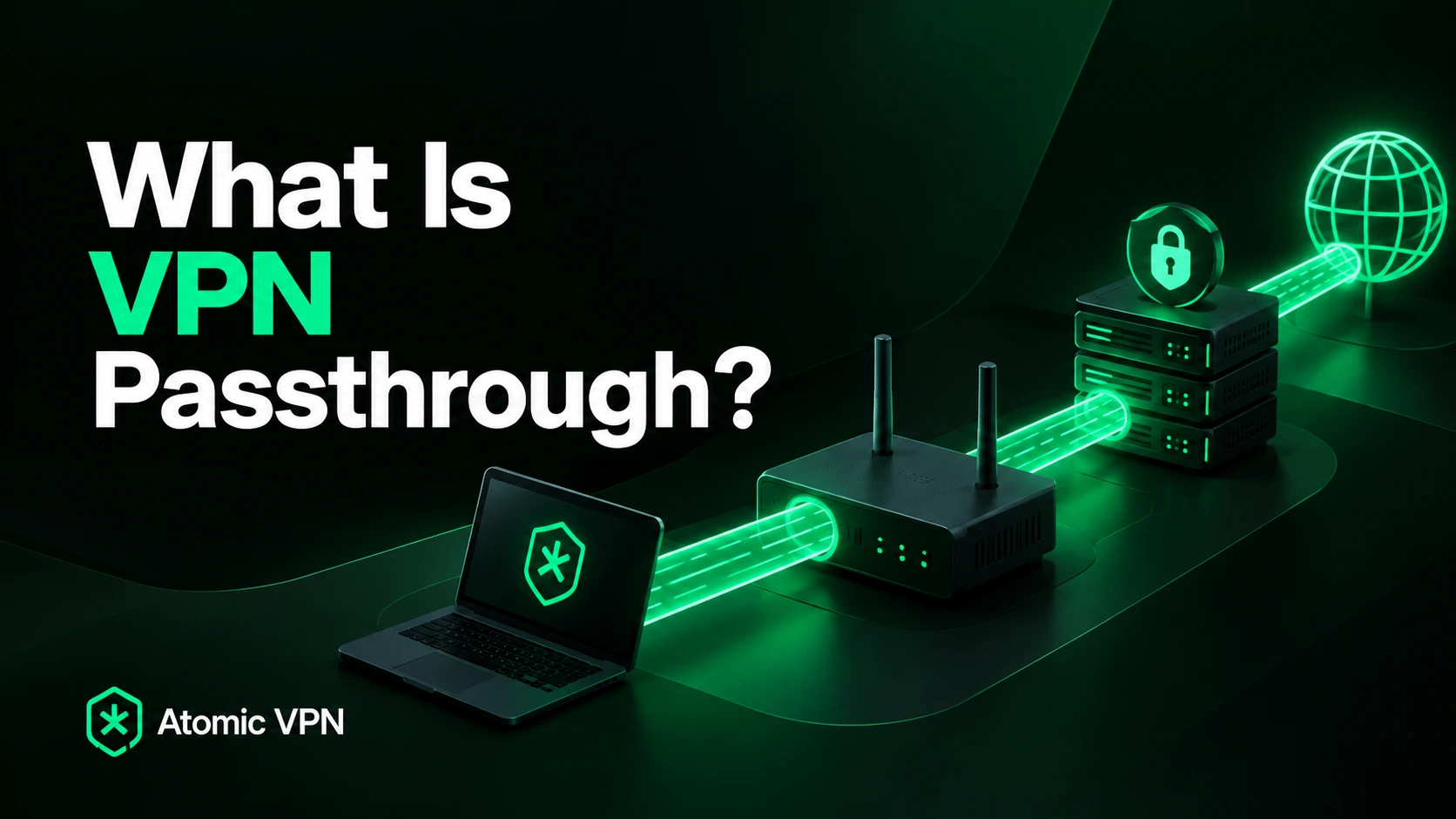
VPN passthrough is different again. It simply allows VPN traffic created by another device to pass through the router's NAT and firewall. A laptop may therefore be able to use a VPN through a router that supports passthrough even though the router itself cannot establish the VPN connection.
When checking router specifications, VPN support alone is therefore not specific enough. For network-wide use with a VPN provider, you need to confirm that the exact model supports VPN client functionality.
Which VPN protocols can a router use?
The available protocols depend on the router and its firmware. Modern VPN-capable routers commonly support WireGuard, OpenVPN or both, while some models also include additional VPN technologies.
WireGuard is particularly attractive for router use because it has a relatively compact architecture and was designed around a fixed set of modern cryptographic primitives. The official WireGuard documentation shows how WireGuard interfaces, peers and routes can be configured directly at the networking level, which makes it suitable for gateways as well as individual devices.
OpenVPN has been available on router platforms for much longer and remains widely supported. It usually relies on a connection profile containing the server address, certificates and other settings needed to create the tunnel. OpenVPN's documentation for router-based clients shows the same profile-based approach used on supported firmware.
Protocol choice matters because the router has to perform the encryption for every connection sent through the tunnel. A protocol that runs easily on a modern computer may place much more noticeable pressure on a low-cost router processor, particularly when several devices are generating traffic at the same time.
Does every router support a VPN?
No. Many basic routers, particularly hardware supplied directly by an ISP, do not offer VPN client mode. Some expose VPN server settings or passthrough features without giving the router any way to connect outward to a commercial VPN service.
Before attempting a setup, check the exact router model and firmware version. Two routers from the same manufacturer can have very different VPN capabilities, and firmware updates can sometimes add or remove networking options.
Some users install alternative firmware such as OpenWrt or DD-WRT to gain additional control, but replacing router firmware is considerably more technical than installing a normal VPN app. The hardware must be explicitly supported, and a failed firmware installation can leave the router unusable.
For most households, buying a router that already supports the required VPN protocol is much simpler than modifying unsupported hardware.
Why use a VPN on a router?
The main advantage is that the router can extend VPN coverage to devices that would otherwise be difficult to protect. A television or game console may have no native VPN client, but both can still send their traffic through a VPN-capable router because the networking decision happens outside the device.
This can also simplify a household with many connected devices. Instead of maintaining separate VPN applications and settings on every piece of hardware, one router configuration can provide a common VPN route for selected devices.
A router-level connection can also remain active independently of individual apps. Devices do not need to remember to launch the VPN after restarting because the route is defined by the network they have joined.
The trade-off is control. Changing a VPN server on a laptop app takes seconds, while changing the router's connection may require opening its administration interface. Features available inside a desktop or mobile VPN application may also be unavailable at router level.
Does a VPN router protect every connected device?
It can, but it does not have to. The result depends on how routing rules are configured. The simplest setup sends all local traffic through the VPN tunnel. Every device using the router therefore shares the same VPN route unless another rule explicitly bypasses it.
More capable routers can use policy-based routing to treat devices differently. A television might use the VPN while a work laptop connects directly through the ISP, or one Wi-Fi network could use the VPN while another remains on the normal internet connection.
This flexibility is useful because routing every device through one VPN server is not always desirable. Some local services may behave differently behind a VPN, and certain applications may perform better over the direct connection.
A VPN router should therefore be thought of as a network-level routing tool rather than a switch that automatically makes every connection identical.
VPN router vs VPN app
A VPN router and a VPN app can create the same basic protected route, but they provide control at different levels.
An application is centered around one device. It makes server switching easy, shows connection status directly to the user and can offer features such as application-level split tunneling. If you want one laptop to connect through London while another phone uses a different server, separate apps make that straightforward.
A router is centered around the network. Devices connected behind it can inherit the same VPN route without needing their own VPN software, which is particularly helpful for hardware with limited operating systems.
Neither approach is universally better. The router gives broader coverage, while the app gives more immediate and granular control. Many households can benefit from using both depending on the device.
Does a VPN router count as one device?
Technically, the VPN provider sees the router establishing the tunnel, while the devices behind it send their traffic through that connection. This can make the router appear as a single VPN client from the server's perspective.
That does not mean every VPN provider treats router connections as one device for subscription purposes. Simultaneous connection rules are determined by the service's own account terms, so router use should not be assumed to bypass device limits.
If you are configuring a router specifically to connect many devices, check the provider's current terms before relying on a particular connection count.
Is a VPN router slower than a VPN app?
It can be, and the router's processor is often the reason. VPN encryption requires more computation than ordinary packet forwarding, while inexpensive routers are usually designed primarily for Wi-Fi, NAT and firewall functions.
A router may therefore advertise very high normal routing speeds while delivering significantly lower throughput once the same traffic has to be encrypted and sent through a VPN tunnel. The difference becomes more noticeable on fast internet connections because the router needs enough processing capacity to keep up.
Protocol choice can also matter. WireGuard can perform efficiently on many modern routers, while OpenVPN performance may depend more heavily on the CPU and exact configuration. Server distance and congestion still matter as well, so router hardware is only one part of the final speed.
This is why normal router specifications do not tell the whole story. A gigabit Ethernet port does not guarantee gigabit VPN throughput.
Does a VPN router improve Wi-Fi security?
A VPN protects a different part of the network from Wi-Fi encryption, so one does not replace the other.
Your wireless network should still use a modern Wi-Fi security standard and a strong password. That protects communication between devices and the local access point and helps prevent unauthorized users from joining the network.
The VPN protects traffic after it reaches the router and begins travelling toward the VPN server. If the local Wi-Fi itself is insecure, adding a router-level VPN does not fix that weakness.
Router security also includes keeping firmware updated, replacing default administrator passwords and disabling unnecessary remote management features. A VPN can improve privacy for internet traffic, but it should be treated as one layer of a secure home network rather than a complete replacement for router security.
Does a VPN router hide your IP address?
For traffic that follows the VPN route, websites normally see the VPN server's public IP rather than the IP assigned by your ISP. This part works much like a VPN application installed directly on a device.
The difference is where the tunnel begins. With an app, the protected connection begins on the laptop or phone itself. With a router VPN, traffic first travels across the local network to the router and enters the VPN tunnel there.
That distinction is another reason local network security still matters. The router VPN protects the route between the router and the VPN server, while Wi-Fi security protects the local connection between the device and the router.
Can you install a VPN on an ISP router?
Sometimes, although ISP-provided routers frequently expose fewer advanced networking options than standalone hardware. They may support basic internet and Wi-Fi configuration while leaving out VPN client functionality entirely.
If the ISP router cannot establish a VPN tunnel, you do not necessarily need to replace it. A second VPN-capable router can often be connected behind the ISP hardware, creating another local network whose traffic follows the VPN route.
This configuration can be useful because it lets you keep the existing internet setup intact. Devices that need the VPN can connect to the second router, while everything else remains on the original network.
It also makes testing easier. Instead of moving the entire household behind a new configuration at once, you can gradually connect individual devices to the VPN network.
Can you use one router with a VPN and another without it?
Yes, and for many households this is one of the simplest ways to keep both options available.
The primary router provides the normal internet connection, while a second router creates a separate Wi-Fi network routed through the VPN. Switching between direct internet access and the VPN then becomes as simple as joining a different network.
This arrangement is particularly convenient for televisions, consoles and other devices without native VPN software because they can remain permanently connected to whichever network makes sense for them.
The cost is additional hardware and slightly greater network complexity. Two routers mean two Wi-Fi networks to manage, and the secondary router needs to be configured correctly to avoid unnecessary addressing or connectivity problems.
What is a travel VPN router?
A travel router is a compact router designed to create your own small local network when you are away from home. Some models include VPN client functionality, allowing them to connect that network through a VPN server.
Instead of connecting a laptop, phone and tablet separately to hotel Wi-Fi, the travel router joins the available network and your devices connect to the router. This creates one familiar network for your devices while the router handles the connection to the hotel or another upstream network.
If the VPN client is enabled, selected traffic can then be sent through the VPN tunnel. This can be convenient when travelling with several devices or with hardware that cannot run its own VPN application.
A travel router does not make an unsafe device or poorly configured Wi-Fi network automatically secure, but it can give you much more control over how multiple devices connect while you are away from home.
How do you set up a VPN on a router?
There is no universal sequence of menu buttons because router interfaces differ significantly. The first requirement is always the same, though: the router needs to support VPN client mode and the protocol you intend to use.
With OpenVPN, setup commonly involves importing an .ovpn profile containing the connection settings required by the client. OpenVPN's router setup documentation demonstrates how supported firmware can import and use this kind of configuration.
WireGuard generally uses a different configuration built around peers, public keys, endpoints and allowed routes. Routers with built-in WireGuard support normally expose those settings through their own interface rather than asking for an OpenVPN profile.
Once the tunnel is connected, the final step is deciding which local traffic should use it. Simple routers may route everything through the VPN, while more advanced hardware can assign the tunnel only to selected devices or networks.
How do you know if the router VPN is working?
Start with the router's administration interface. The VPN client should show an established connection rather than remaining in a connecting or failed state.
After that, use a device that should be routed through the VPN and check its public IP address. If the configuration is working, the visible address should correspond to the VPN server rather than your normal ISP connection.
If the router uses policy-based routing, test more than one device. A successful VPN tunnel only proves that the router has connected to the server; it does not guarantee that every local device has been assigned to that route.
DNS settings can also matter. Depending on the router configuration, DNS queries may need to follow the VPN's resolver rather than the ISP default, so checking DNS behaviour can be useful when troubleshooting a more advanced setup.
What are the disadvantages of a VPN router?
The biggest disadvantage is that router-level VPNs require more networking knowledge than a normal app. Interfaces vary between manufacturers, and a configuration problem can affect several devices instead of one computer.
Performance can also become a limitation because the router handles encryption for everything using the tunnel. Low-powered hardware may struggle with fast connections, particularly when several devices are active at the same time.
Day-to-day control is less convenient as well. Changing server locations or temporarily bypassing the VPN may require logging into the router, whereas a desktop application can usually make the same change with one or two clicks.
For that reason, a VPN router makes the most sense when its network-wide benefits solve a specific problem. It is not automatically an upgrade over installing the normal VPN application.
Who should use a VPN router?
A VPN router is particularly useful when several devices need the same VPN connection or when some of those devices cannot run VPN apps. Households with smart TVs, consoles or other connected hardware can therefore gain much more from router-level support than someone using only a laptop and phone.
It can also be useful for creating a dedicated VPN network. A second router can keep selected devices permanently behind the VPN without forcing the entire household to use the same server.
For a person who only needs VPN protection on a few devices with native applications, the app remains considerably simpler. You get clearer status information, faster server switching and more granular controls without maintaining network-level configuration.
The practical decision is therefore less about which approach is technically more advanced and more about where you need the VPN connection to be managed.
VPN router or VPN app: which should you choose?
A VPN router is not inherently more private than a VPN app. Both can encrypt traffic on the route to the VPN server and replace the original public IP for connections that pass through the tunnel.
What changes is the scope. A router can apply that connection across a network and extend it to devices without VPN software, while an app gives one device direct control over its own server, settings and connection state.
For many users, these approaches work best together. Devices that support Atomic VPN directly can use the application when individual control matters, while a compatible router can handle hardware that needs network-level VPN routing.
The right setup is therefore the one that keeps the connection easy to understand and manage. If a VPN app already covers everything you use, a router adds unnecessary complexity. If the VPN needs to become part of the network itself, a compatible VPN router can make that coverage much easier to maintain.