Atomic VPN for iPhone
VPN for iPhone: fast, private, $2/mo
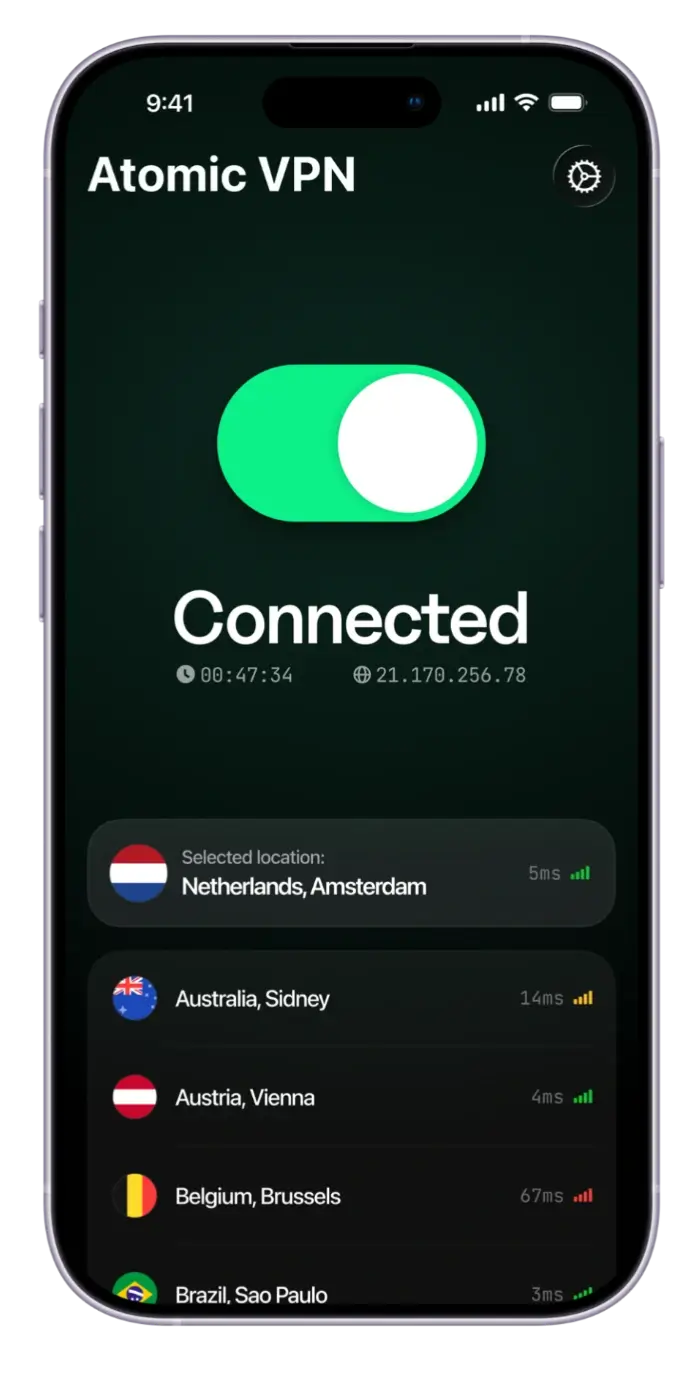
Cafés, airports, hotels: your iPhone joins every network it meets. Atomic VPN encrypts every app on Wi-Fi and cellular, so nobody else can read it.
 Zero-log policy VPN
 1 account for 5 devices
 6500+ servers across 88+ countries
 1-click VPN connection
Why you need a VPN on your iPhone
Your iPhone joins every café, airport and hotel network you pass. A VPN for iPhone encrypts the traffic of every app, so the network owner and anyone nearby see one encrypted connection, not the sites and apps you use.
Apple's iCloud Private Relay covers Safari and some app traffic. A VPN covers every app, on Wi-Fi and on cellular. Atomic VPN runs on iPhone and Mac, with 6500+ servers in 88+ countries and plans from $2 a month.
Built for how you use your iPhone
Four iPhone problems, and how Atomic VPN handles each.

Every app, every network
Safari, Mail, banking apps: Atomic VPN encrypts it all on Wi-Fi and on cellular.

Cheaper than a coffee
$2 a month on the yearly plan, every feature included. Cancel in one click.
No free-VPN tradeoff
Many free apps log or sell your data. Atomic VPN has an audited no-logs policy.

iPhone, Mac and more
One account covers 5 devices: iPhone, Mac, Windows PC and Android.
How to set up a VPN on iPhone
Four steps, five minutes, no settings menus.
Get the app
Download Atomic VPN for iPhone and sign in with your account.
Allow the VPN profile
The first time, iOS asks to add a VPN. Tap Allow and confirm with Face ID or passcode.
Pick a server
Choose a country or let the app take the fastest one, then tap connect.
Look for the VPN badge
A VPN badge appears in the status bar when your iPhone is protected.
One account for iPhone and Mac
Atomic VPN has apps for iPhone and Mac, plus Windows and Android. One account covers 5 devices at once, so your phone and laptop are protected with the same login.
Setting the VPN up on a router doesn't use one of your 5 device slots, so home Wi-Fi can be covered too while your iPhone and Mac keep their own slots.
Pick a term. Everything else is the same
VPN for iPhone: common questions
Yes, if you use public Wi-Fi. A VPN encrypts the traffic of every app on networks you don't control, so the network owner and other users can't see which sites you visit.
No. iOS lets you add a VPN, but it doesn't include a VPN service. iCloud Private Relay is a separate iCloud+ feature that covers Safari and some app traffic. A VPN app like Atomic VPN covers every app.
One that is audited, fast and doesn't log. Atomic VPN has an independently audited no-logs policy, RAM-only servers, WireGuard speed and 6500+ servers in 88+ countries, from $2 a month.
Free VPN apps exist, but many log your activity or show ads to pay for servers. Atomic VPN is a paid VPN from $2/mo with an audited no-logs policy. One month is $5.99 if you only need it short term.
Install the VPN app, sign in and tap connect. The first time, iOS asks you to allow a VPN configuration: confirm it with Face ID or your passcode. A VPN badge then shows in the status bar.
Only a little. Encryption uses some power, and WireGuard keeps the cost low. In a normal day most people won't notice a difference.
Yes. One account covers 5 devices at once, including iPhone and Mac, plus Windows and Android. A router connection doesn't use one of the slots.
Much safer. A VPN encrypts your traffic before it leaves the iPhone, so others on the café or airport network can't read it. Still be careful with sites that look wrong.






Protect your iPhone today
Install Atomic VPN and browse privately on any network. Plans from $2/mo, cancel in one click.